QR Toolkit
Generate, customize, scan, and download QR codes completely free. A premium, fully client-side utility suite — no servers, no tracking, just fast offline-first tools.
Everything You Need, Built Local
No cloud queues, no processing accounts. QR Toolkit runs directly on your machine's hardware using web standards.
100% Free Forever
Generate and scan unlimited high-resolution QR codes. No subscriptions, no microtransactions, completely open access.
Completely Private
Your data is fully secure. No camera feeds or content payloads are ever uploaded to any web servers. Everything is processed locally.
Blazing Fast Speed
Instant client-side rendering. Downloads and scans execute within milliseconds without waiting on network delays.
Fully Browser Based
Operates directly in your browser. Fully functional offline. No desktop software downloads or mobile apps required.
Zero File Uploads
Uploaded scanning images are processed directly inside client memory. Data disappears the second you close the tab.
High-Res Exports
Download in web-ready formats (PNG, JPEG) or clean vectors (SVG) at up to 4x resolution scale for print media.
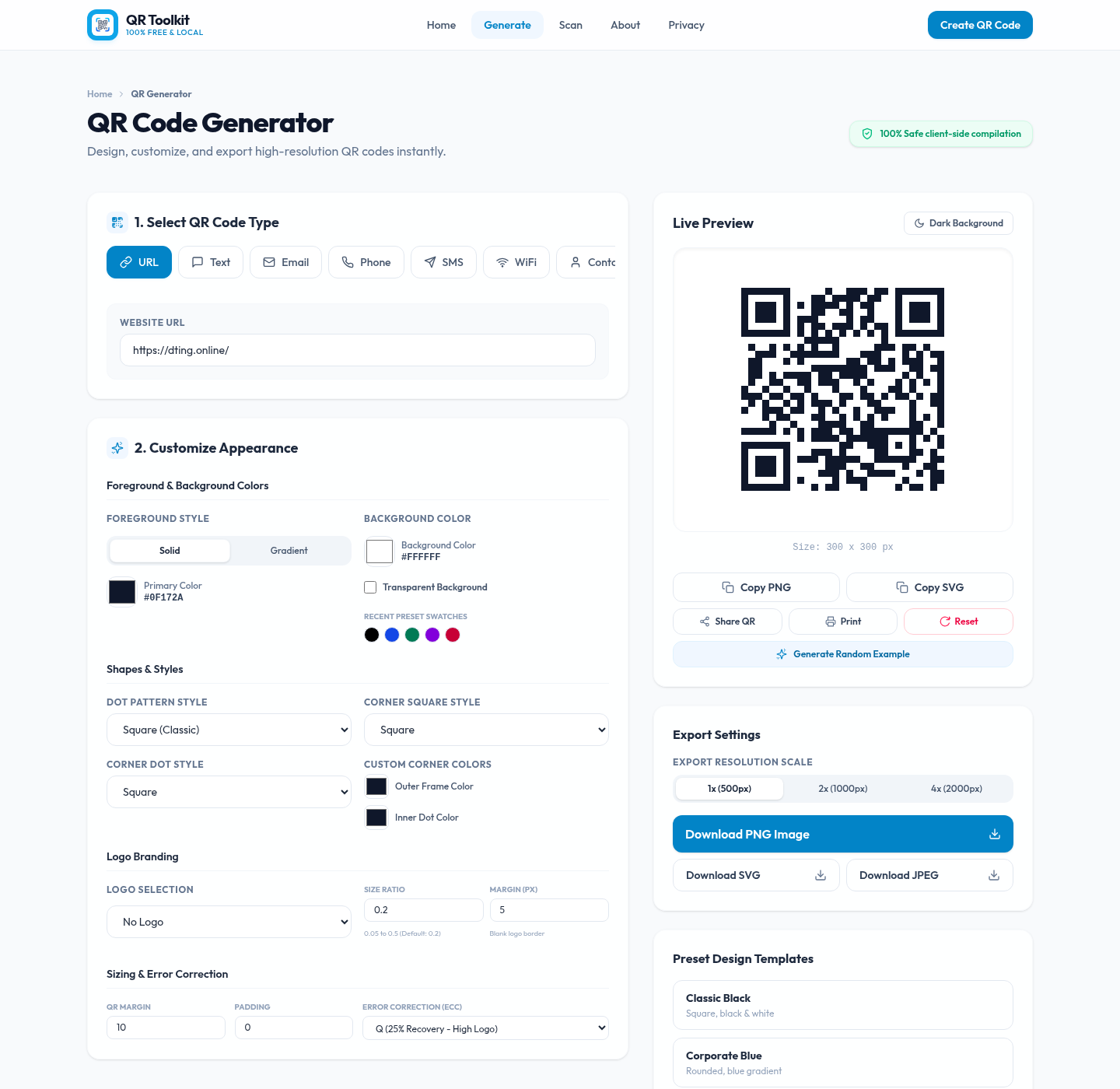
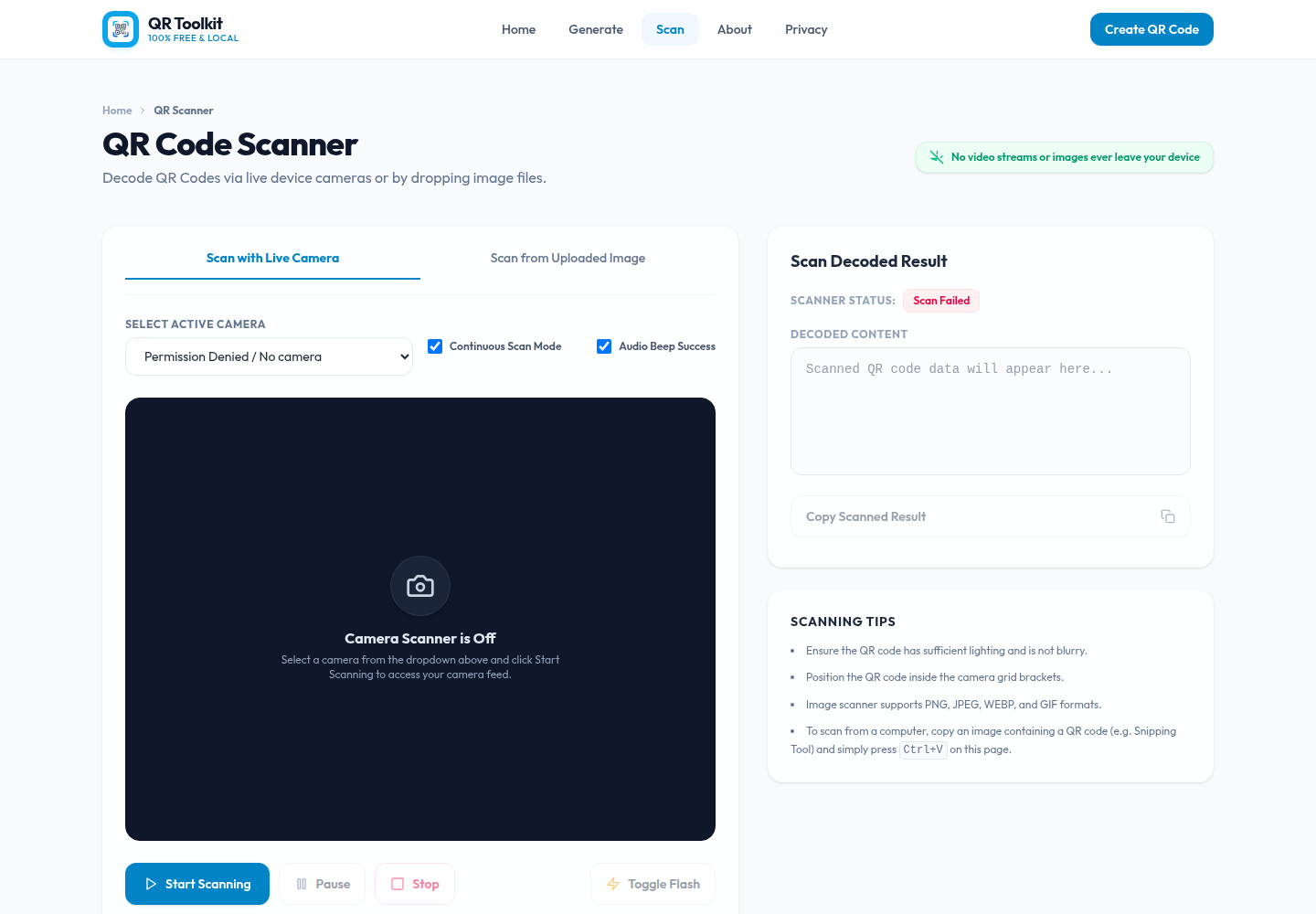
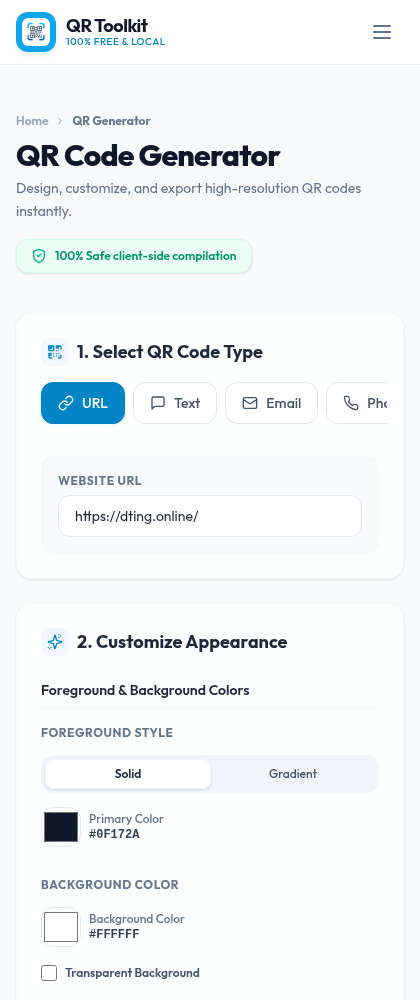
A Look Inside the Toolkit
Pick a type, style it your way, and export — all without leaving your browser.
Every QR Type You Need
From simple links to crypto payments — generate a scannable code for almost anything.
Make It Uniquely Yours
Advanced customization options so your QR codes match your brand perfectly.
Color & Gradient
Choose solid or linear/radial gradient foreground colors and background colors, plus transparent backgrounds.
Dot & Corner Styles
Pick dot patterns (square, rounded, circular, classy) and style the corner squares and dots to taste.
Logo Branding
Embed your company logo in the center with adjustable size ratio, margin, and a default QR Toolkit mark.
Error Correction
Select ECC level L, M, Q, or H (up to 30% recovery) so codes stay scannable even with big logos.
Resolution Scale
Export at 1x (500px), 2x (1000px), or 4x (2000px) in PNG, JPEG, or clean vector SVG for print.
Preset Templates
Start fast with ready-made looks like Classic Black, Corporate Blue, Sunset Radial, Forest Gold, and Midnight Glow.
Run the QR Toolkit Locally
Want to host or run the QR Toolkit on your own device? It's fully self-contained and open source. Follow these steps to set it up.
Clone the Repository
Grab the source files directly from our repository system.
git clone https://github.com/rifatsoftdev/QR-Toolkit-Web.gitInstall Dependencies
Navigate into the directory and install local packages using npm or yarn.
cd QR-Toolkit-Web && npm installBoot Dev Server
Start a local dev server and open your browser at the default port.
npm run devFrequently Asked Questions
Quick answers about pricing, logos, WiFi codes, and troubleshooting.
Are QR Codes Free?
Yes, our QR Toolkit is 100% free. Static QR codes will work for a lifetime without expiration.
Can I add a logo to my QR Code?
Yes, go to the Generate page and click on the Upload Logo button to add your company logo.
How do I create a WiFi QR Code?
On the Generate page, select the WiFi option, enter your SSID, password, and encryption type, then click Create.
QR Code not working?
Check if the print quality is good. Leave white space around the QR code. Large logos may prevent scanning.
Why does my QR code not work?
1. Check print quality. 2. Leave white space around the QR code. 3. Large logos may prevent scanning.
How do I generate a Bkash QR Code?
Go to the Generate page, select the Text option, enter your Bkash merchant number, and click Create.